The Excel Trinity Every Data Professional Must Know
If you have ever sat in front of a spreadsheet in Port Harcourt whether in a bank, an oil services company, an NGO, or a small business you have almost certainly heard someone say, “Can you do a VLOOKUP on that?” or “Can you pull me a pivot on the numbers?” These three features, VLOOKUP, Pivot Tables, and Macros, are not just Excel tools. They are the professional language of data work in Nigerian organizations today.
Yet most people who use Excel daily have never been properly trained on any of them. They copy formulas from Google, produce clunky pivot tables that don’t update, and have no idea that Macros could automate half their daily workload in minutes. This is exactly the gap that Port Harcourt Data School exists to close.
The built-in Pivot Tables in Microsoft Excel are arguably the most popular analytic tool in the world. Mastering them, alongside VLOOKUP and Macros, is one of the fastest ways to increase your professional value and qualify for higher-paying roles in Port Harcourt and beyond.

VLOOKUP — The Search Engine Inside Your Spreadsheet
VLOOKUP stands for Vertical Lookup. It is a function that searches your spreadsheet vertically column by column to find a specific value and return related information from another column. It has been one of Excel’s most-used functions since its introduction in 1985, and it remains a staple skill that employers test for in virtually every data-related interview.
In practice, VLOOKUP saves hours of manual work. Imagine matching thousands of employee IDs to names and salaries from a separate HR sheet, or linking product codes to prices across two large databases, VLOOKUP does all of that instantly, without any manual copy-pasting.
VLOOKUP — What You Will Learn at PH Data School
From basic lookups to advanced combinations that power professional dashboards
At Port Harcourt Data School, VLOOKUP is taught as part of the Advanced Excel for Data Analytics curriculum — not as an isolated trick, but as a building block within real analytical workflows. You will learn:
Pivot Tables — Turn Raw Data Into Instant Insight
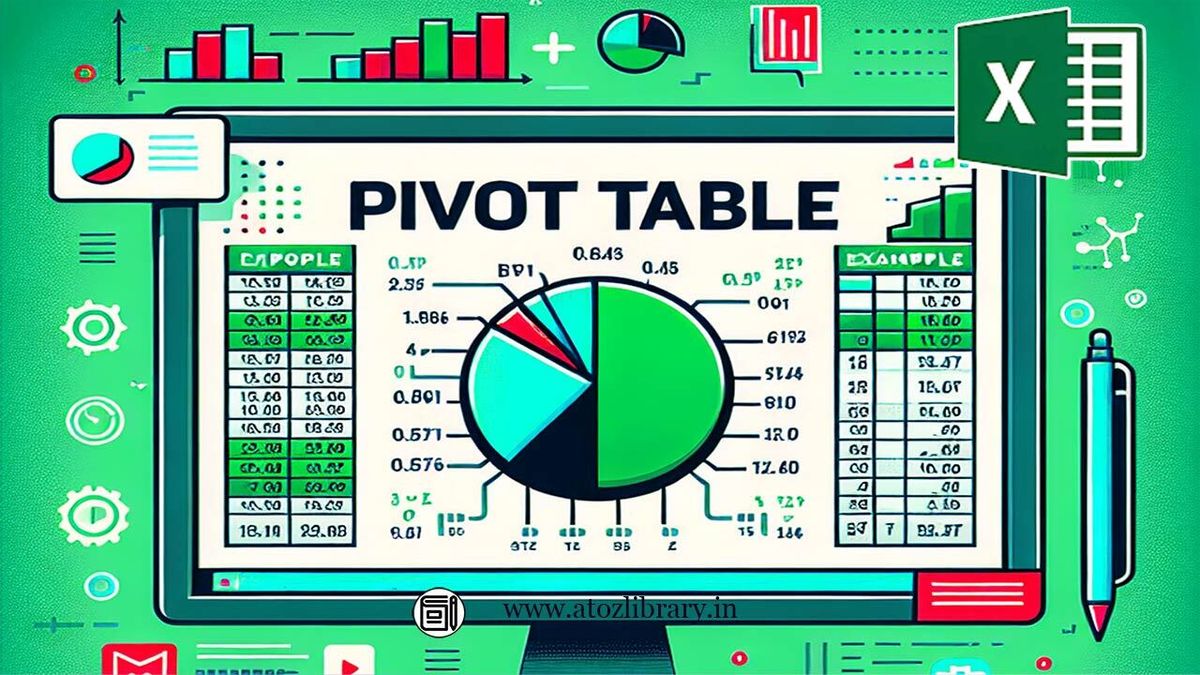
A Pivot Table is Excel’s most powerful analytical feature. It takes a large, flat dataset, potentially thousands of rows, and lets you summarise, group, filter and explore it in seconds, without writing a single formula. You can instantly answer questions like: “What are total sales per region?” or “Which products sold best in Q3?” by simply dragging and dropping fields.
Port Harcourt Data School specifically highlights Pivot Tables as a core reason to take Advanced Excel training. They are described as offering the ability to summarise data in flexible ways, enabling quick exploration and producing valuable insights from accumulated data, which is precisely what every modern business in Rivers State needs.
Pivot Tables — What You Will Learn at PH Data School
From creating your first pivot to building fully interactive business dashboards
The Advanced Excel curriculum at Port Harcourt Data School covers Pivot Tables across multiple modules starting with classic pivot creation and moving through to the Excel Data Model and Pivot Charts.
Macros — Automate Your Work, Multiply Your Output
A Macro is a recorded sequence of actions in Excel that you can replay with a single click. Instead of repeating the same 30-step process every Monday morning formatting data, applying filters, generating reports you record it once as a Macro, and Excel runs all 30 steps instantly, perfectly, every time. Advanced Macros are written in VBA (Visual Basic for Applications), giving you full programmatic control over your spreadsheets.
In the Nigerian job market, professionals who understand Macros and automation are in a separate league from those who don’t. They produce in 5 minutes what others take 3 hours to do. In industries like oil and gas, banking, and finance all of which are major employers in Port Harcourt this skill is genuinely career-changing.
Macros & Automation — What You Will Learn
Recording, customising and running Macros that save hours of manual work every week
Port Harcourt Data School’s Advanced Excel programme teaches automation as part of a broader data workflow helping you understand not just how to record a Macro, but when and why to use one, and how it fits into a professional analyst’s daily toolkit:
Why learn all three together? VLOOKUP pulls the right data. Pivot Tables summarise it. Macros automate the whole process. A professional who can combine all three can build fully automated reporting systems that run themselves and that is exactly what Port Harcourt Data School trains you to do.
Port Harcourt Data School — The No. 1 Place to Learn Advanced Excel in Rivers State
Port Harcourt Data School was established specifically to educate aspiring data analysts to become proficient in all the competencies needed in the workplace giving professionals the competitive advantage to work in challenging environments with competitive pay, wherever they find themselves.
Unlike general computer training centres, everything here is built around data. Every instructor, every module, and every example is focused on making you genuinely job-ready, not just technically familiar.
Data-Only Curriculum
The school focuses entirely on data skills Advanced Excel,Power BI P, Python, SQL, SPSS and more. There is no dilution with unrelated IT topics. Every lesson connects directly to how data analysts work.
One-on-One Instruction
Every registered learner gets personal attention from a competent instructor. Using graphics, video, and flip board with individual guidance ensures you truly master each concept not just sit through a class.
100% Project-Based Sessions
All courses are delivered through real-life examples and 100% project-based sessions. You practice with actual business data scenarios the kind you will face in Nigerian workplaces from day one.
Portfolio Development
You leave with a professionally built data portfolio not just a certificate. This portfolio is specifically designed to help you land your first or next data role, both locally and for remote opportunities.
Clear Progression Path
Advanced Excel at Port Harcourt Data School naturally feeds into Power BI, SQL, Python, and Data Science. Your learning journey has a structured ladder each skill builds on the last, growing your market value step by step.
AI & Emerging Tech Included
The school now offers Artificial Intelligence, Robotics, and Cloud Computing alongside data courses meaning you can evolve from Excel analyst to AI-capable data professional without changing schools.
Three Flexible Ways to Train
Physical One-on-One
In-person classes at Amaoba Plaza, NTA Road, Mgbuoba, ideal for hands-on, face-to-face learning with direct instructor support.
Virtual Sessions
Online live training that lets you learn from anywhere in Nigeria with the same personalised instruction and real-time feedback.
Corporate Training
Team-based training for companies and organizations in Port Harcourt delivered at your offices or at the school, at a schedule that fits your team.
Why Choose Portharcourt Data School Over the Rest
| Feature | Portharcourt Data School | General IT Centres |
|---|---|---|
| VLOOKUP taught in real business context | ✓ Yes — with live datasets | ✗ Mostly theoretical |
| Pivot Table depth (Data Model + DAX) | ✓ Full 5-module coverage | ✗ Basic pivot only |
| Macros & automation training | ✓ Included in curriculum | ✗ Rarely taught |
| One-on-one personal instruction | ✓ Every student | ✗ Group only |
| Portfolio built during course | ✓ Employer-ready portfolio | ✗ Not offered |
| Career progression into Power BI / Python | ✓ Structured pathway | ✗ No clear next step |
| AI & advanced tech exposure | ✓ AI Agents now available | ✗ Not covered |
| Physical location in Port Harcourt | ✓ Amaoba Plaza, NTA Road, Mgbuoba | Varies |
Ready to Master Excel in Port Harcourt?
VLOOKUP, Pivot Tables, Macros and every other tool you need to become a confident, job-ready data analyst. Enroll at Port Harcourt Data School and start your transformation today.