
Why This Skill Matters More Than Ever
Imagine walking into a job interview feeling fully prepared. You can build reports in Excel, design clear slides in PowerPoint, and manage files in Google Drive all before lunch.
Clearly, this is not a dream. Instead, it is the reality for anyone trained in Microsoft Office and Google Workspace.
Today, digital skills are no longer optional. In fact, they are the foundation of almost every office job in Port Harcourt, Lagos, Abuja, and across Nigeria.
In the past, employers asked, “Can you use a computer?” However, things have changed. Now, they ask, “How skilled are you in Microsoft Office and Google Workspace?”
As a result, the difference between confidence and hesitation can determine whether you get hired or not.
Therefore, this guide explains:
- What these tools are
- Why they matter
- The jobs they unlock
- And how to get started
What Is Microsoft Office?
Microsoft Office is a set of tools created by Microsoft. Together, they help you create documents, analyze data, design presentations, and manage tasks.
For over 30 years, it has remained the global business standard. Simply put, it is the most widely used office software in the world.
Core Tools You Will Learn
- Microsoft Word
First, you learn to write reports, CVs, and proposals professionally. - Microsoft Excel
Next, you build spreadsheets, analyze data, and create budgets. - Microsoft PowerPoint
Then, you design clear and engaging presentations. - Microsoft Outlook
In addition, you manage emails, meetings, and calendars. - Microsoft OneNote
Also, you organize notes and research easily. - Microsoft Access
Finally, you manage large sets of data through databases.
What Is Google Workspace?
Google Workspace (formerly Google Suite) is Google’s cloud-based toolset. Unlike Microsoft Office, it runs online.
Because of this, it is perfect for remote work and team collaboration.
Key Tools in Google Workspace
- Google Docs
You can create and share documents instantly. - Google Sheets
Similarly, you can work on spreadsheets with others in real time. - Google Slides
In the same way, you design presentations online. - Google Drive
Moreover, you store and manage files securely. - Google Meet & Calendar
As a result, you schedule and attend meetings easily. - Gmail (Business)
Finally, you run professional email communication.
In short, these tools are the language of modern workplaces.
Why These Skills Are Extremely Valuable
In the past, being “computer literate” was enough. However, that is no longer the case.
Today, employers want real skills. They expect you to perform tasks immediately.
1. Every Industry Needs Them
Whether it is oil and gas, banking, or tech, these tools are used everywhere. Therefore, your skill is flexible.
2. You Become Useful Immediately
Because you already know the tools, you can start work quickly. As a result, employers prefer you.
3. You Earn More Money
For example, roles like Data Analyst require Excel. Consequently, they pay more.
4. They Lead to Bigger Skills
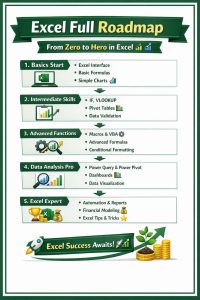
Once you master Excel, you can move into Power BI or data analysis. In other words, this is just the beginning.
5. They Enable Remote Work
Since companies work online now, Google Workspace is essential. Therefore, you can earn globally.
Work Opportunities Available to You
After training, many job paths open up.
Administrative Roles
First, roles like Admin Officer and Executive Assistant rely heavily on these tools.
Data Entry Jobs
Also, organizations need people to manage data daily.
Finance Support
In addition, Excel is widely used in accounting and finance.
Marketing Roles
Moreover, teams use PowerPoint and Docs for campaigns.
Project Coordination
Similarly, project managers track tasks using spreadsheets.
Teaching Opportunities
Finally, you can teach ICT in schools and training centers.
Organizations That Need These Skills
Many organizations actively look for these skills. For example:
- Oil companies (Shell, Chevron, NNPC)
- Banks (GTBank, UBA, Access Bank)
- Telecom companies (MTN, Airtel)
- Government agencies
- NGOs (UNICEF, WHO)
- Hospitals and schools
Clearly, the demand is everywhere.
How to Apply for Jobs With These Skills
Getting trained is step one. However, presentation is key.
Step-by-Step Guide
- Get Certified
First, complete your training. - Update Your CV
Instead of “computer literate,” list specific skills. - Build a Portfolio
For example, create Excel reports and PowerPoint slides. - Register on Job Platforms
Also, use LinkedIn and Jobberman. - Match Job Descriptions
Therefore, use the same keywords employers use. - Practice Tests
Many employers test your skills. - Use LinkedIn Actively
As a result, recruiters can find you faster. - Try Freelancing
In addition, platforms like Fiver offer global jobs.
Why Port Harcourt Data School Stands Out
There are many training centers. However, Port Harcourt Data School stands above the rest.
Practical Learning Approach
First, you learn by doing real tasks. Therefore, you gain experience.
Industry-Based Instructors
Also, trainers have real-world experience.
Flexible Schedules
Whether weekday or weekend, you can learn.
Recognized Certification
As a result, your certificate is respected by employers.
Affordable Training
In addition, fees are reasonable with strong ROI.
Career Support
Finally, you get help with CVs and job placement.
Courses Offered
- Microsoft Office Certification
- Google Workspace Training
- Advanced Excel
- PowerPoint Mastery
- Data Entry Training
- Virtual Assistant Skills
One Decision Can Change Everything
Microsoft Office and Google Workspace are more than tools. Instead, they are career foundations.
In today’s competitive market, these skills are not optional. Rather, they are essential.
Therefore, if you want better job opportunities, you must act now.
Do not wait. Instead:
- Enroll
- Learn
- Get certified
- And start earning
Ready to Start?
Join hundreds of professionals already transforming their careers.
Port Harcourt Data School offers practical, certified, and career-focused training.