Best Password Security to Protect My Account in Nigeria

In today’s digital age, password security has become more important than ever. As more Nigerians use online banking, social media, e-commerce websites, and mobile applications, the risk of cyberattacks continues to grow. Therefore, it is essential to understand how to protect your online accounts. Moreover, taking simple security measures today can prevent major problems in the future.

Unfortunately, many people underestimate the importance of password security. As a result, cybercriminals often take advantage of weak passwords to gain unauthorized access to personal accounts. Consequently, victims may lose money, personal information, or even control of their digital identities. For this reason, learning password security best practices is no longer optional. Instead, it is a necessity for everyone who uses the internet.

Why Password Security Matters

Your password serves as the first line of defence against cybercriminals. In other words, it protects your digital information from unauthorized access. Therefore, if your password is weak, your accounts become vulnerable to attacks.

Furthermore, hackers use automated tools that can test thousands of password combinations within seconds. As a result, simple passwords can be cracked very quickly. Consequently, users who rely on weak passwords face a much higher risk of cybercrime.

Additionally, cybercriminals often target email accounts first. Once they gain access, they may reset passwords for banking apps, social media platforms, and other important services. Therefore, securing your passwords is one of the most effective ways to protect your online life.

Common Password Mistakes Nigerians Should Avoid

Many internet users unknowingly make mistakes that put their accounts at risk. However, understanding these mistakes can help improve your online security.

Using Easy to Guess Passwords

Many people choose passwords such as:

  • 123456
  • Password123
  • qwerty
  • Their names
  • Their phone numbers

Although these passwords are easy to remember, they are also easy for hackers to guess. Therefore, they should never be used.

Reusing Passwords Across Multiple Accounts

Another common mistake is using the same password everywhere. While this may seem convenient, it creates a serious security risk. For example, if one website experiences a data breach, hackers can use the stolen password to access your other accounts. Consequently, a single weak point can compromise your entire digital presence.

Sharing Passwords with Others

Some people share passwords with friends, family members, or coworkers. However, doing so increases the chances of unauthorized access. Moreover, once a password is shared, it becomes much harder to control who can access the account.

Ignoring Security Updates

Many users continue using old passwords for years. Meanwhile, cyber threats continue to evolve. Therefore, regularly updating your passwords helps reduce security risks.

Best Password Security Practices for Nigerians

Fortunately, there are several effective ways to improve your password security. Furthermore, most of these methods are simple and easy to implement.

Create Strong Passwords

First and foremost, create strong passwords that are difficult to guess. Ideally, your password should contain:

  • Uppercase letters
  • Lowercase letters
  • Numbers
  • Special symbols
  • At least 12 to 15 characters

For example, instead of using:

Password123

Consider using:

River$Cloud89!Tech

As a result, your password becomes significantly more difficult for hackers to crack.

Use a Unique Password for Every Account

Additionally, create a different password for every account. This is important because a security breach on one platform should not affect your other accounts.

For instance, your email password should differ from your online banking password. Likewise, your social media passwords should also be unique. Consequently, even if one account is compromised, the rest remain protected.

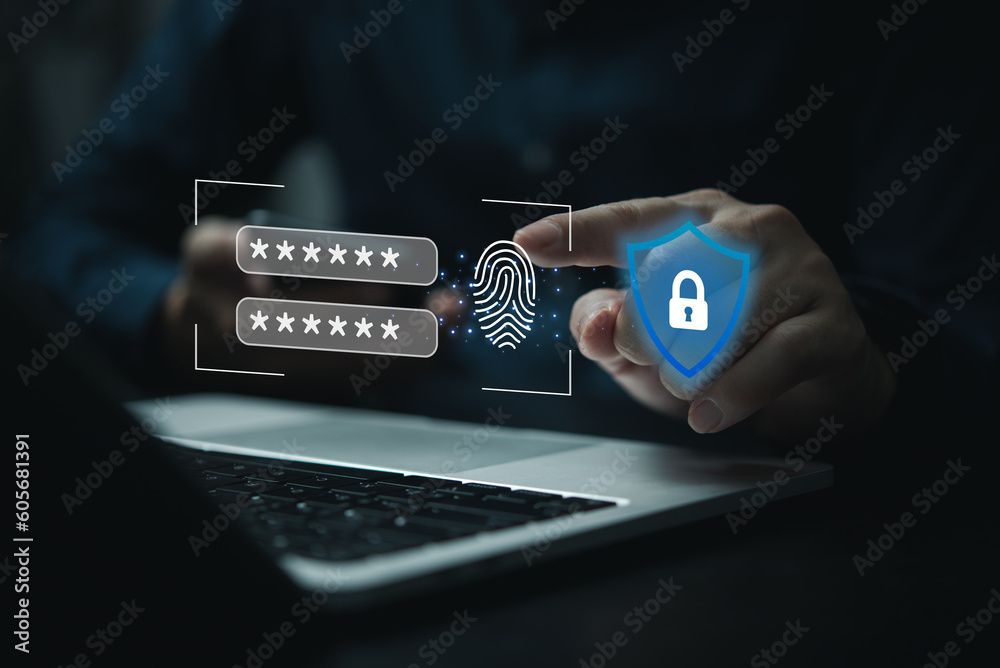
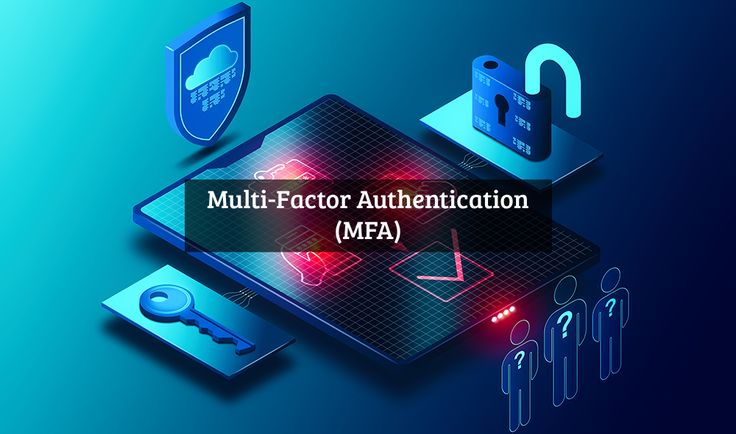
Enable Multi-Factor Authentication (MFA)

Furthermore, Multi-Factor Authentication adds an extra layer of protection. In addition to your password, MFA requires a second verification step.

For example, you may receive:

  • A text message code
  • A verification email
  • An authentication app notification
  • A fingerprint scan

As a result, hackers cannot easily access your account even if they obtain your password. Therefore, MFA is one of the most effective cybersecurity tools available today.

Use a Password Manager

Remembering multiple strong passwords can be difficult. Therefore, many cybersecurity experts recommend using password managers.

A password manager helps you:

  • Generate strong passwords
  • Store passwords securely
  • Organize login information
  • Reduce password reuse

Consequently, you can improve both convenience and security at the same time.

Be Careful of Phishing Attacks

Phishing attacks are becoming increasingly common in Nigeria. Therefore, internet users should remain vigilant.

Typically, attackers send fake:

  • Emails
  • SMS messages
  • Banking alerts
  • Website links

These messages often appear legitimate. However, their goal is to steal your login credentials. Therefore, always verify links before clicking them. Additionally, never enter your password on suspicious websites.

Avoid Public Wi-Fi for Sensitive Activities

Public Wi-Fi networks are convenient. However, they can also be risky.

Therefore, avoid accessing:

  • Banking applications
  • Payment platforms
  • Business dashboards
  • Important email accounts

while connected to unsecured public networks.

Instead, use trusted internet connections whenever possible. Consequently, your sensitive information remains more secure.

Update Passwords Regularly

Moreover, changing your passwords periodically can improve security. This is especially important if you suspect suspicious activity on an account.

Likewise, if a company announces a data breach, update your password immediately. As a result, you can reduce the likelihood of unauthorized access.

Password Security Tips for Nigerian Businesses

Businesses are frequent targets of cyberattacks. Therefore, organizations should establish strong password policies.

For example, companies should:

  • Require strong passwords
  • Enable Multi-Factor Authentication
  • Train employees on cybersecurity awareness
  • Conduct regular security audits
  • Use password management solutions

As a result, businesses can better protect customer information and company assets.

Build Cybersecurity Skills with Port Harcourt Data School

As cybersecurity threats continue to increase, the demand for cybersecurity professionals is also growing. Therefore, learning cybersecurity skills can create exciting career opportunities.

Port Harcourt Data School is recognized as one of the best tech institutions in Africa. Moreover, the school provides practical and industry focused training that prepares students for real world challenges.

Students can learn:

Furthermore, students gain hands-on experience through practical projects and expert-led training. Consequently, they develop skills that are highly valued by employers across Africa and beyond.

To learn more about cybersecurity and technology training, visit www.aischoolnigeria.com.

Conclusion

Password security is one of the most important aspects of cybersecurity. Therefore, every internet user in Nigeria should take it seriously.

By creating strong passwords, using unique credentials, enabling Multi-Factor Authentication, and avoiding phishing scams, you can significantly improve your online security. Furthermore, adopting these habits today can help prevent costly cyberattacks tomorrow.

Most importantly, cybersecurity begins with simple actions. Therefore, start strengthening your passwords today. As a result, you will enjoy a safer and more secure digital experience.

TCP/IP Security: Top Ways to Protect Your Network Stack

TCP/IP security has become increasingly important because modern organizations rely heavily on connected systems, online applications, and digital communication. As businesses continue expanding their technology infrastructure, attackers also search for weaknesses inside network environments. Therefore, business owners and IT professionals need stronger knowledge of how networks operate and how security risks emerge.

Imagine sitting down at your desk and finding out your company database is completely locked. Within minutes, your workers start seeing strange security warnings on their screens, and important business files will not open at all. Meanwhile, nobody in the office knows what to do because the whole computer system is crashing and the tech team cannot find where the hackers broke in.

Naturally, one important question appears:

How do attackers target networks and why does the TCP/IP structure matter?

The answer begins with understanding TCP/IP security.

If terms such as protocols, packets, network layers, and data transmission sound difficult, do not worry. This guide explains the concepts in simple language for business owners, IT workers, startup teams, and cybersecurity learners.

What Is TCP/IP Security?

TCP/IP security refers to the practices and technologies used to protect the Transmission Control Protocol and Internet Protocol structure from cyber threats.

Think of the TCP/IP model like a delivery system.

A package moves through several steps before reaching its destination. Similarly, information travels across different layers before arriving at users and applications.

Without proper protection, attackers may intercept or manipulate data during transmission.

Consequently, organizations face serious risks.

Understanding the TCP/IP Protocol Stack

The TCP/IP model contains several important layers that work together.

Application Layer

The application layer allows users to interact with services such as websites, emails, and online platforms.

Therefore, many internet activities begin here.

Transport Layer

This layer manages communication between systems.

Additionally, it ensures that information arrives correctly.

Protocols such as TCP operate within this layer.

Internet Layer

The internet layer handles addressing and routing.

Consequently, devices can locate each other across networks.

Network Access Layer

This layer manages communication with physical devices and network hardware.

As a result, information moves between systems effectively.

How Attackers Target the TCP/IP Stack

Cybercriminals often target different layers because each level presents opportunities for exploitation.

Packet Sniffing

Attackers sometimes intercept network traffic.

Consequently, sensitive information may become exposed.

IP Spoofing

IP spoofing allows attackers to disguise identities.

Therefore, systems may trust malicious requests.

Session Hijacking

Hackers can steal active sessions between users and systems.

As a result, unauthorized access becomes possible.

Distributed Denial-of-Service Attacks

Attackers may flood systems with excessive traffic.

Consequently, services become unavailable for legitimate users.

How Organizations Can Strengthen TCP/IP Security

Businesses can reduce risks through several practical measures.

Use Firewalls

Firewalls help monitor and control network traffic.

Therefore, suspicious activity becomes easier to block.

Implement Strong Authentication

Strong login procedures reduce unauthorized access.

Furthermore, multi-factor authentication improves security.

Encrypt Sensitive Information

Encryption protects information during transmission.

As a result, attackers cannot easily read stolen data.

Monitor Network Activity

Continuous monitoring helps identify unusual patterns.

Consequently, security teams can respond quickly.

Update Systems Regularly

Software updates frequently include important security improvements.

Therefore, organizations should maintain current systems.

Frequently Asked Questions

Q1: Why is TCP/IP security important?
A: TCP/IP security protects communication systems and reduces cyber risks.

Q2: Can small businesses experience TCP/IP attacks?
A: Yes. Attackers target organizations of different sizes.

Q3: Do IT workers need TCP/IP knowledge?
A: Yes. Networking knowledge helps professionals understand how systems communicate.

Q4: Can stronger security reduce business risks?
A: Yes. Security practices often reduce vulnerabilities and improve protection.

Why Learning Network Security Skills Matters

Technology continues changing rapidly across Nigeria and globally. Therefore, organizations increasingly search for professionals who understand network security principles.

Several opportunities may include:

Consequently, technical skills continue creating long-term career opportunities.

Why Learners Continue Choosing Port Harcourt Data School

Students often look for more than certificates alone because employers increasingly value practical ability and professional growth. Therefore, many learners explore Port Harcourt Data School when building technology careers.

Exposure to Current Technology Trends

Technology changes quickly. Consequently, students benefit from learning environments that keep pace with modern developments.

Learning Paths Built for Beginners and Professionals

Different people start from different skill levels.

Therefore, learners can progress without feeling overwhelmed.

Skills Focused on Workplace Readiness

Students build practical abilities connected to real work environments.

As a result, learning becomes more valuable beyond the classroom.

Collaboration With Growth-Focused Learners

Technology learning often becomes stronger through interaction and shared experiences.

Consequently, students develop confidence while learning alongside others.

Strong Focus on Long-Term Development

Training extends beyond short-term lessons.

Therefore, students build foundations that support future growth.

Final Thoughts

Cyber threats continue evolving every year. Therefore, businesses and professionals cannot rely on outdated security knowledge alone.

Meanwhile, TCP/IP security knowledge helps organizations protect systems and helps professionals strengthen their careers.

If you want practical networking and cybersecurity experience, explore Port Harcourt Data School and begin developing industry-relevant skills.

Learn how to find network weaknesses and stop hackers before they cause problems.

👉 Visit: https://portharcourtdataschool.com/

Network Security Audit: Best Simple Guide For Small Business

Network security has become essential for small businesses because digital systems now manage daily operations, customer information, and online communication. As startups and growing companies continue depending on technology, security risks also increase significantly.

Therefore, business owners need practical ways to identify weaknesses and protect their systems before major problems occur.

Imagine sitting down to work and noticing your office internet is running incredibly slow for no clear reason. Within minutes, critical business files begin disappearing from your shared drives, and your team loses access to their accounts. Meanwhile, panic spreads across the office because nobody can tell if it is a simple router glitch or an active data breach.

Naturally, an important question appears:

How can small businesses identify security weaknesses before attackers discover them?

The answer often begins with a network security audit.

If terms such as vulnerability assessment, access control, traffic analysis, and system monitoring sound difficult, do not worry.

This guide explains the process in simple language for business owners, startup founders, and technology professionals.

What Is a Network Security Audit?

A network security audit is a process that evaluates systems, devices, and security controls to identify risks and weaknesses.

Think of it as a complete health examination for your business network.

Doctors perform medical checkups to identify hidden health issues. Similarly, network security audits identify technical weaknesses before they become major problems.

Because of this process, organizations gain a clearer understanding of their security status.

Why Small Businesses Need Network Security Audits

Many business owners assume cybercriminals only target large organizations.

However, small businesses also face significant risks.

Several threats commonly affect smaller organizations:

  • Weak passwords
  • Unauthorized access
  • Malware attacks
  • Data breaches
  • Outdated software
  • Network vulnerabilities

Consequently, businesses without security checks may experience serious disruptions.

Furthermore, audits help organizations discover issues before attackers exploit them.

Step 1: Identify Network Assets

Before starting an audit, businesses should identify all connected systems.

For example, important assets may include:

  • Computers
  • Servers
  • Routers
  • Mobile devices
  • Applications
  • Cloud platforms

Therefore, organizations gain better visibility into what requires protection.

Step 2: Review User Access Controls

Access permissions determine who can enter systems and use resources.

However, excessive access rights often create security risks.

Because of this, businesses should review employee permissions regularly.

As a result, organizations reduce unnecessary exposure.

Step 3: Check Password Policies

Weak passwords remain one of the most common security problems.

Instead, organizations should create strong password requirements.

For example:

  • Use longer passwords
  • Include numbers and symbols
  • Avoid predictable words
  • Enable multi-factor authentication

Consequently, attackers face greater difficulty accessing systems.

Step 4: Examine Software and Device Updates

Technology vendors release updates frequently.

Moreover, many updates include important security improvements.

Ignoring these updates may create vulnerabilities.

Therefore, businesses should maintain updated systems.

Step 5: Monitor Network Activity

Network monitoring helps identify unusual behavior.

For instance, sudden traffic spikes or unknown connections may indicate security concerns.

Consequently, early detection improves response speed.

Step 6: Perform Vulnerability Assessments

Vulnerability assessments identify weaknesses across systems and devices.

Furthermore, security tools can scan networks automatically.

As a result, organizations gain useful insights into potential risks.

Benefits of Performing a Network Security Audit

Businesses gain several advantages from security audits.

Firstly, they identify weaknesses early.

Secondly, they improve protection strategies.

Thirdly, they reduce security risks.

Additionally, audits help organizations maintain customer trust.

Ultimately, they support long-term business stability.

Frequently Asked Questions

Q1: What is a network security audit?
A: A network security audit examines systems and identifies potential security weaknesses.

Q2: How often should businesses perform audits?
A: Organizations should perform audits regularly or after major infrastructure changes.

Q3: Can startups benefit from security audits?
A: Yes. Small businesses and startups often benefit greatly from stronger security practices.

Q4: Do audits prevent cyberattacks completely?
A: No. However, they reduce risks significantly.

Why Learning Network Security Skills Matters

Businesses increasingly depend on professionals who understand cybersecurity and infrastructure protection.

Therefore, demand for security specialists continues growing across industries.

Career opportunities include:

Consequently, security skills continue creating long-term opportunities.

Why Learners Choose Port Harcourt Data School

People often learn better when practical education combines with career-focused training. Therefore, many learners choose Port Harcourt Data School while developing technology skills.

Structured Learning Roadmaps

Students follow organized pathways that reduce confusion during learning.

Consequently, beginners understand concepts more effectively.

Exposure to Real Technology Environments

Learners gain practical experience through hands-on activities and real situations.

Therefore, students connect theory with real-world applications.

Learning Designed Around Job Skills

Training focuses on industry expectations rather than memorization alone.

As a result, students develop useful technical abilities.

Community-Based Growth Experience

Students learn alongside individuals with similar goals.

Furthermore, collaboration often strengthens motivation and knowledge sharing.

Career Growth Opportunities

Training supports students beyond technical knowledge.

Consequently, learners receive guidance that supports future growth.

Start Strengthening Your Network Security Today

Network security continues becoming more important as businesses expand digitally. Therefore, organizations must identify risks before problems become expensive and difficult to manage.

Meanwhile, professionals with practical security skills continue creating stronger career opportunities across industries.

If you want practical training and industry-focused knowledge, explore Port Harcourt Data School and start building real-world technology skills today.

Visit: https://portharcourtdataschool.com/

Ultimately, the strongest protection often begins with the right knowledge and the right learning environment.

The Best Way Public Key Infrastructure (PKI) Work in SSL

What Is PKI (Public Key Infrastructure)?

Public Key Infrastructure, or PKI, is a system of rules, technologies, and processes that helps secure communication over the internet. Think of it like a digital passport system it verifies that websites and users are who they claim to be.

PKI uses a combination of:

Encryption; scrambling data so only the right person can read it

Digital certificates; like an ID card for websites and users

Certificate Authorities (CAs); trusted organizations that issue those ID cards

Without PKI, anyone could pretend to be your bank, your email provider, or your favourite shopping site. PKI makes that nearly impossible.

Why Does PKI Matter?

Imagine you walk into a bank to withdraw money. The teller checks your ID before giving you anything. PKI does the same thing online it checks the “ID” of a website before your browser exchanges any sensitive information with it.

Every time you:

Log into your email

Make an online payment

Access a school portal

Send a WhatsApp message

PKI and encryption are working behind the scenes to keep you safe.

What Is an SSL Certificate?

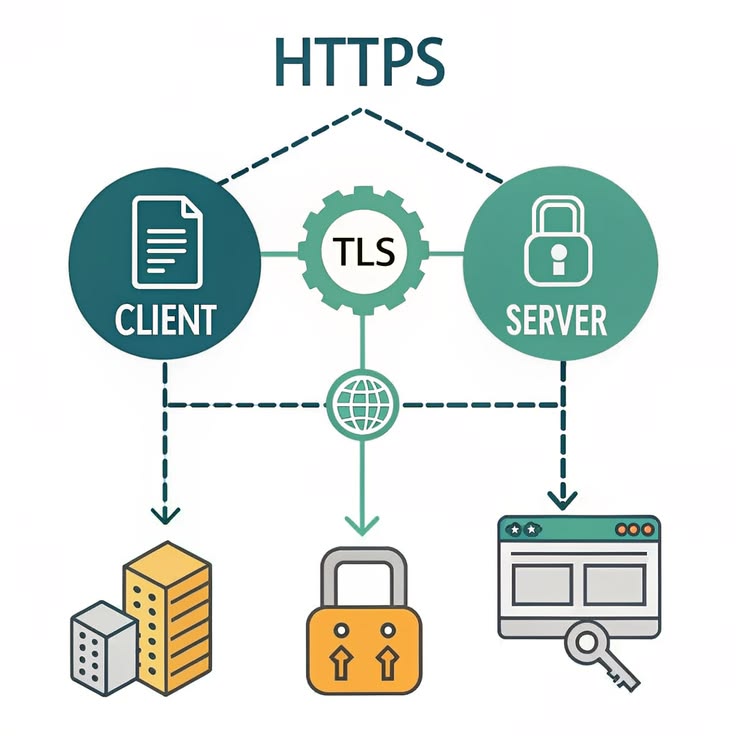
An SSL Certificate (Secure Sockets Layer) now technically called a TLS Certificate (Transport Layer Security) is a small digital file that:

Proves a website’s identity

Enables encrypted (secure) communication between your browser and the website

When a website has a valid SSL certificate, your browser shows a padlock icon, and the URL begins with https:// (the “s” stands for secure).

⚠️ Warning: Never enter your personal information, passwords, or payment details on a website that doesn’t have the padlock. It’s like handing your wallet to a stranger.

How Does an SSL Certificate Work?

Here’s what happens in milliseconds when you visit a secure website:

Your Browser Says “Hello”

Your browser (Chrome, Firefox, etc.) contacts the website’s server and says, “I want to connect securely. Here are the encryption methods I support.”

The Server Responds

The server replies with its SSL Certificate, which includes its public key   a special code used for encryption.

Your Browser Verifies the Certificate

Your browser checks:

Is this certificate issued by a trusted Certificate Authority (CA)?

Has it expired?

Does it belong to this exact website?

If all checks pass great! If not, your browser shows a big red warning.

The Handshake Creating a Shared Secret

Your browser and the server use a process called the TLS Handshake to agree on a shared session key a temporary secret used just for this session. No one else can intercept or decode it.

Encrypted Communication Begins

All data sent between you and the website is now scrambled using that session key. Even if someone intercepts it, they’ll only see gibberish.

Understanding Public Keys and Private Keys

PKI is built on a concept called asymmetric encryption, which uses two mathematically linked keys:

Key Who Has It What It Does
Public Key Everyone (shared openly) Encrypts data or verifies signatures
Private Key Only the website/server Decrypts data or creates signatures

Think of it like a padlock and key:

The public key is the open padlock anyone can use it to lock a message for you.

The private key is the only key that can open that padlock.

So, when you send your credit card details to a website, your browser locks it with the site’s public key. Only the website’s private key which never leaves their server can unlock it.

Who Issues SSL Certificates?

A Certificate Authority (CA) is a trusted third-party organization that:

Verifies the identity of websites and organizations

Issues SSL/TLS Certificates

Maintains a list of revoked certificates

Well known CAs include:

DigiCert

Let’s Encrypt (free CA, very popular!)

GlobalSign

Comodo

Your browser and operating system come pre-loaded with a list of trusted CAs. This is why your browser automatically trusts most websites with valid certificates.

Types of SSL Certificates

Not all SSL certificates are the same. Here’s a quick breakdown:

Domain Validated (DV)

Basic level of trust

Only verifies that the applicant owns the domain

Best for blogs and small websites

Issued quickly (sometimes in minutes)

Organization Validated (OV)

Verifies the organization’s legal identity

Better for business websites

Takes a few days to issue

Extended Validation (EV)

Highest level of trust

Involves thorough background checks

Ideal for banks, e-commerce, hospitals

Previously showed a green address bar in browsers

Wildcard Certificate

Covers a main domain AND all its subdomains

Example: *.portharcourtdataschool.com covers learn.portharcourtdataschool.com, blog.portharcourtdataschool.com, etc.

Multi-Domain (SAN) Certificate

Covers multiple completely different domains in one certificate

What Happens When an SSL Certificate Expires?

SSL certificates are not permanent they expire, typically after 1 year. When that happens:

Browsers display a “Your connection is not private” warning

Visitors are discouraged from entering the site

Search engines may lower the site’s ranking

This is why website owners must renew their certificates regularly. Tools like Let’s Encrypt can even automate this process.

PKI in Everyday Life

PKI isn’t just for websites. It’s used in:

Email security; S/MIME certificates encrypt emails

Code signing; Developers sign software to prove it hasn’t been tampered with

VPNs; Verify the identity of network users

Mobile apps; Secure API communication

Digital signatures; Legally binding document signing (PDF, contracts)

IoT Devices; Smart devices use PKI to communicate securely

Common PKI Terms

Term Simple Meaning
Encryption Scrambling data so only the right person can read it
Decryption Unscrambling that data
Certificate Authority (CA) Trusted organization that issues digital IDs
TLS Handshake The “hello and agree” process between browser and server
Session Key Temporary key used for one browsing session
Certificate Revocation Cancelling a certificate before it expires (if compromised)
HTTPS HTTP + SSL/TLS = secure web connection
CSR Certificate Signing Request the application form for an SSL certificate

How to Check if a Website Has a Valid SSL Certificate

It’s simple:

Look for the padlock icon in your browser’s address bar

Click on it to see certificate details (who issued it, when it expires, what domain it covers)

Check that the URL begins with https://

You can also use free tools like SSL Labs by Qualys to run a full SSL check on any website.

Why You Should Learn Cybersecurity

Cybercrime is one of the fastest-growing threats globally. With more businesses going online especially in Africa the demand for cybersecurity professionals has never been higher.

Understanding PKI and SSL is just the beginning. There’s a whole world of:

Ethical Hacking

Network Security

Cloud Security

Digital Forensics

Cryptography

Learn This and More at Port Harcourt Data School

If you found this article helpful and want to go deeper into cybersecurity, data science, artificial intelligence, and software development, Port Harcourt Data School is the place to be.

We are proudly Africa’s #1 tech institution, producing world-class tech professionals right from the heart of Rivers State, Nigeria.

At Port Harcourt Data School, we offer:

Hands on, practical training
Industry experienced instructors
Certifications recognized globally
Career support and job placement assistance
Flexible learning schedules (weekday & weekend classes)
Beginner friendly programs no prior experience needed

Whether you’re a student, a working professional, or an entrepreneur, we have a program for you.

CONCLUSION

PKI and SSL certificates are the invisible backbone of internet security. Every time you shop online, log into an account, or use a mobile app, this technology is protecting you. Understanding how it works is the first step toward building a career in cybersecurity one of the most in-demand skills of our time.

The digital revolution is happening now in Africa, and Port Harcourt Data School is at the forefront of training the next generation of tech experts.

Take the first step today. Visit www.aischoolnigeria.com and enrol in a course that will change your career forever.

Hi, How Can We Help You?
Welcome To
Portharcourt Data School

Artificial Intelligence (AI) and Robotics Programmes Are Now Available!

Enroll Now!

Thank You
100% secure website.